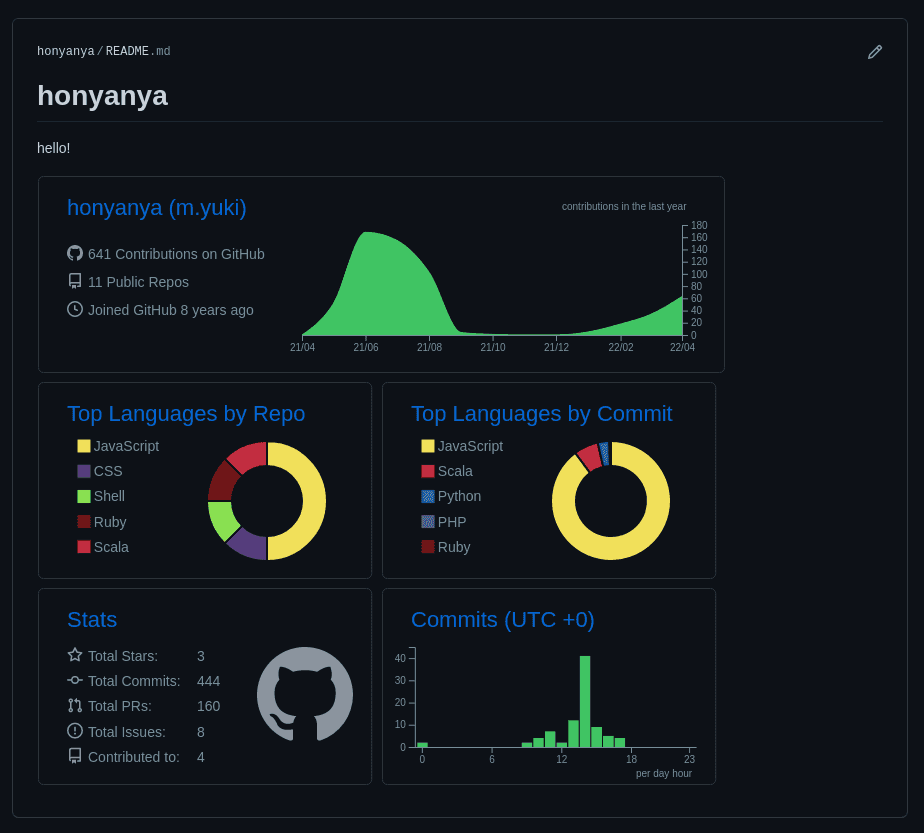
昨日の続きで GitHub Profile の中身を増やしていく
github-profile-summary-card を使って GitHub の情報を SVG で出力してくれる
出力した SVG を README に貼る
github-profile-summary-card
https://github.com/vn7n24fzkq/github-profile-summary-cards
手順
- 1: Personal Access Token の発行
- 2: Repository Secrets に Personal Access Token を登録
- 3: GitHub Actions 作成
- 4: README に貼る
1: Personal Access Token の発行
https://github.com/settings/tokens で今回使用する Token を発行する
必要な権限
以下 5 つの権限が必要
- repo
- repo:status
- repo_deployment
- public_repo
- user
- read:user
- user:email
生成された Token を控えておく
2: Repository Secrets に Personal Access Token を登録
https://github.com/{username}/{username}/settings/secrets/actions から登録
- Name
SUMMARY_GITHUB_TOKEN
- Value
- 1 で発行した Personal Access Token
3: GitHub Actions 作成
https://github.com/vn7n24fzkq/github-profile-summary-cards#github-actions-usage の通りに作成すれば問題ない
実際に作成した PR: https://github.com/honyanya/honyanya/pull/2/files
---
name: GitHub-Profile-Summary-Cards

on:
  schedule: # execute every 24 hours
    - cron: '* */24 * * *'
  workflow_dispatch:

jobs:
  build:
    runs-on: ubuntu-latest
    name: generate

    steps:
      - uses: actions/checkout@v2
      - uses: vn7n24fzkq/github-profile-summary-cards@release
        env:
          GITHUB_TOKEN: ${{ secrets.SUMMARY_GITHUB_TOKEN  }}
        with:
          USERNAME: ${{ github.repository_owner }}
main merge 後、 GitHub Actions から GitHub-Profile-Summary-Cards を動かして動作確認を行う
問題なければ profile-summary-card-output というディレクトリが増えコミットされる
GitHub Actions で schedule を指定してるため、定期的に更新される仕組みになる
https://github.com/honyanya/honyanya/tree/main/profile-summary-card-output
4: README に貼る
プレビュー見れるのでお好きなテーマを README に貼れば OK
完成